
Hoy: A macOS VMM on Hypervisor.framework, with GPU acceleration for local models
Hoy is our own virtual machine monitor (VMM) for running macOS VMs on Apple silicon Macs. We built it for agents, CI, reinforcement learning (RL) and evals.
Francesco Bonacci
On an M4 Pro, a Hoy VM boots until it answers ssh in 5.3 s, against 6.6 s with Apple's Virtualization framework. After a restore, it's running again in 1.2 s, against 3.0 s.
Agents that work in Mac apps need a macOS desktop, and so do CI jobs, RL episodes and evals. When each run starts from a saved state, you pay for a restore on every run. At these rates, 1,000 restores take 20 minutes of Mac time with Hoy and 50 minutes with Apple's framework, counting restore time only.
A full macOS install in every VM
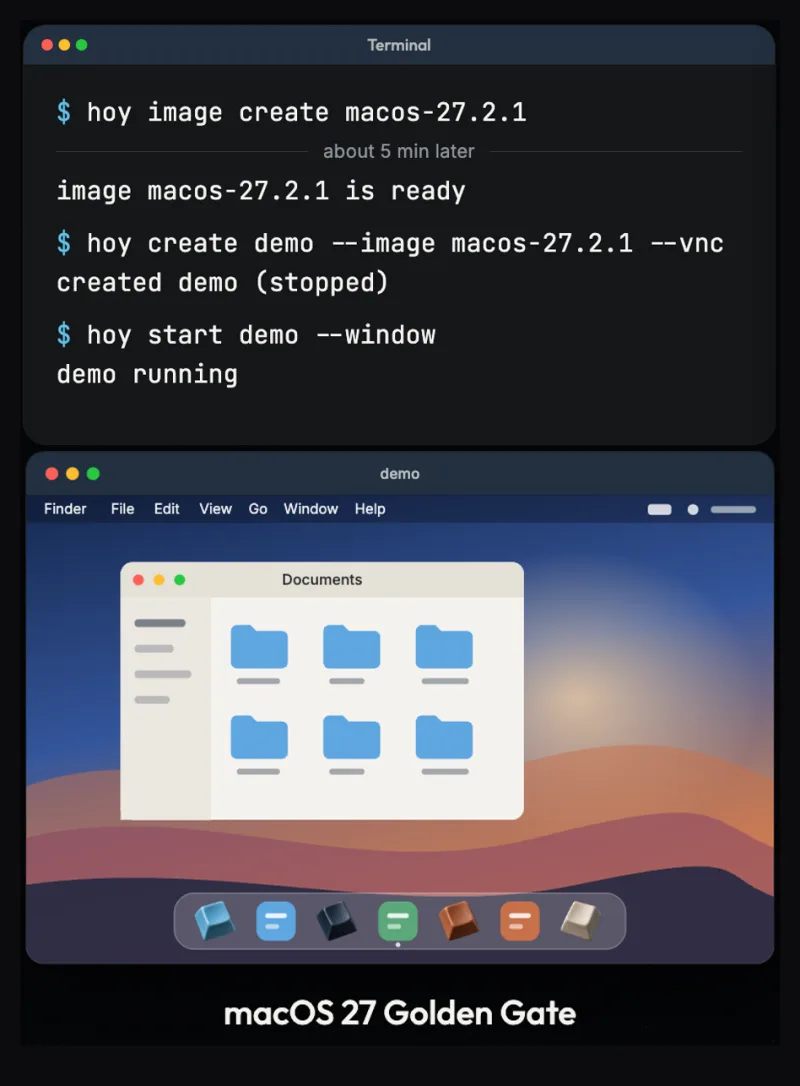
Each Hoy VM is a complete macOS install with its own disk, network address and ssh keys. You drive it with the hoy command, which talks to a background service on your Mac. A VM can run headless while you reach it over ssh, or open in a window like any other app.
hoy image create builds a macOS image on your Mac from Apple's restore images, so we never distribute macOS. hoy create then makes a VM in milliseconds, because its disk starts as a clone of the image. That's also how you can try macOS 27 Golden Gate while your own Mac stays on macOS 26.
Save a running Mac and come back to it
hoy snapshot saves the whole running machine: memory, disk and open apps. After hoy restore, windows and unsaved text are where you left them.
On the M4 Pro, the VM pauses for 0.77 s while Hoy saves it, against 2.8 s with Apple's framework.

Fork a VM while it keeps running
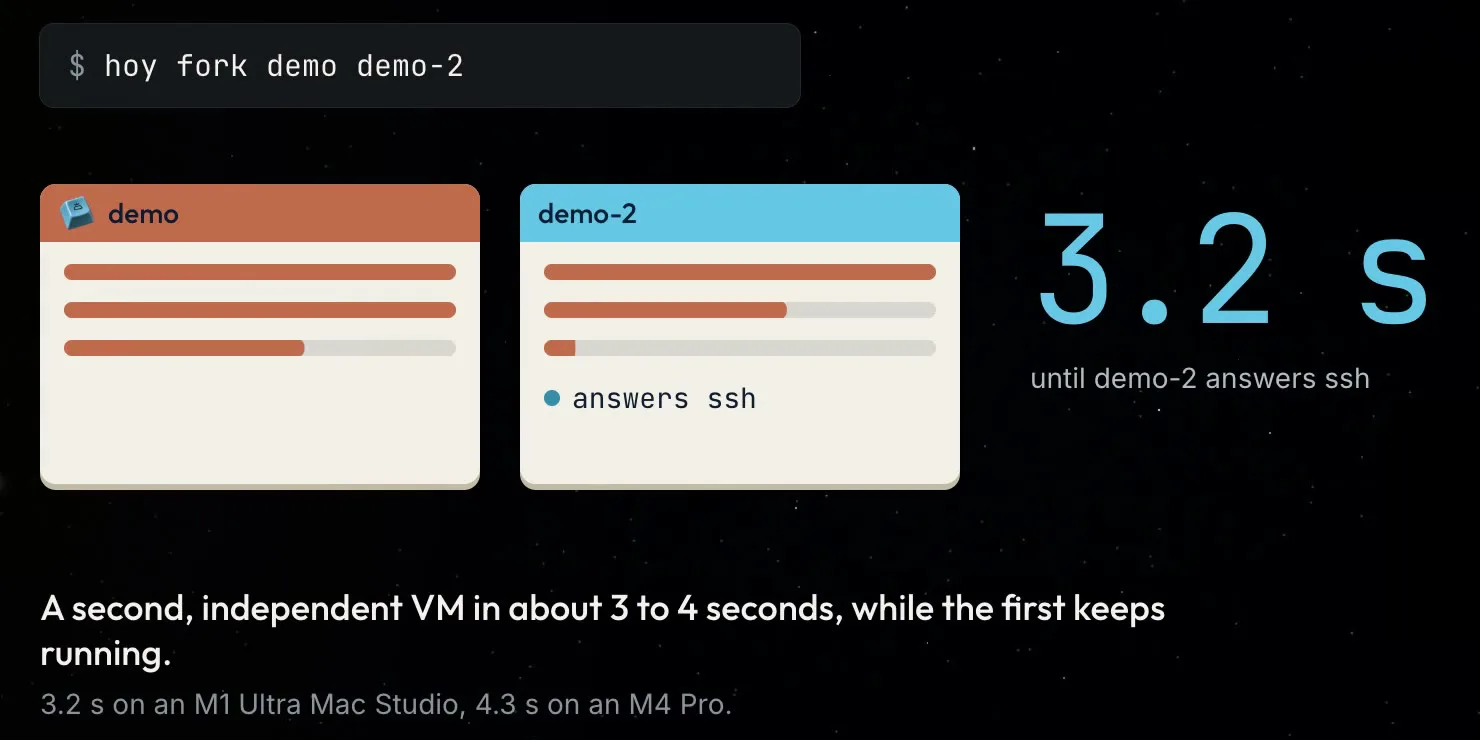
hoy fork demo demo-2 starts a second VM from a running one, and the first keeps working. The copy is running in about a second. It gets its own name, ssh host keys and network address, so copies don't get in each other's way. Apple's Virtualization framework has no fork.
Local AI models on the Mac's GPU
VMs can also run local AI models on the Mac's GPU. In our tests on an M2 Mac, llama.cpp in a Hoy VM ran on the Mac's GPU and processed prompts at 95 to 97% of native speed, with text generation on par with native. GPU acceleration for local models is experimental and off until you turn it on. A VM can't be snapshotted while a program in it is using the GPU, but restore and fork work.

Our own engine on Apple's Hypervisor.framework
Hoy is built on Apple's Hypervisor.framework, the low-level API that virtualizes the CPU. Hoy brings the rest itself: the virtual devices, display, memory, snapshots and GPU access, all designed for macOS guests. We use Apple's Virtualization framework only to install macOS from Apple's restore images.
Part of this work came from helping our partners scale their deployments.

Bring the VMs you already have
If you already have macOS VMs made with Tart, UTM or Lume, hoy import brings them in and leaves the originals untouched. For UTM, that's VMs on its Apple backend.

What you're installing
Hoy is closed source, under the Hoy EULA.
Hoy sends us crash reports and basic usage counts, both on by default, and each has its own switch: hoy config set crash-reports off and hoy config set usage-data off. DO_NOT_TRACK=1 turns both off, and hoy config preview usage-data prints exactly what would be sent. Nothing from inside a VM is ever collected.
What's next
Hoy is coming to Cua Spaces, where you'll connect all your devices and Hoy VMs from one account.
Try Hoy
Hoy is free, including commercial use. Register at hoy.cua.ai and we'll email you a personal install command. Run it in Terminal, turn on the two switches System Settings asks for, and the hoy command is ready. Later, hoy update installs new versions and hoy update --rollback goes back one.
The release notes for 0.17.0 list everything in this release, the two approvals step by step, and the known limits.
The docs are at cua.ai/docs/hoy.
If something breaks, report it at github.com/trycua/cua/issues. Security reports go to support@trycua.com with "Hoy security" in the subject. For anything else, write to hoy@cua.ai.
Francesco Bonacci, Cua
Method: boot, save and restore times are medians of 5 runs on an M4 Pro MacBook Pro on macOS 27.2, with a release candidate of Hoy and the same macOS VM for both, measured on 12 November 2026. Boot to ssh was also faster with Hoy on an M1 Ultra Mac Studio on macOS 26.6.2 (6.6 s against 7.2 s) and a Mac mini M6 on macOS 27.0.1 (4.4 s against 5.3 s). GPU results: llama.cpp prompt processing on an M2 Mac (0.5B and 3B models).